
In May 2021, Google will officially launch a new ranking factor - Core Web Vitals. It determines the quality of user experience.
It was announced in May 2020, and as we know, Google likes to test everything, so these factors are already being actively used. Of course, the king of SEO-promotion will still be content, but if there are several articles with cool content in the top, Google will give preference to the page with better Web Vitals.

Therefore, the task of SEO-specialists is to learn how to properly and qualitatively monitor these indicators, as well as to try to automate the monitoring process.
Accordingly, we decided to make a small review of the methods, services, plugins and features that the bright minds of the entire googlenet have already come up with. So, let's go from the simplest and most common to the more advanced ones.
PageSpeed Insights
The first and probably the most common tool available today is PageSpeed Insig.
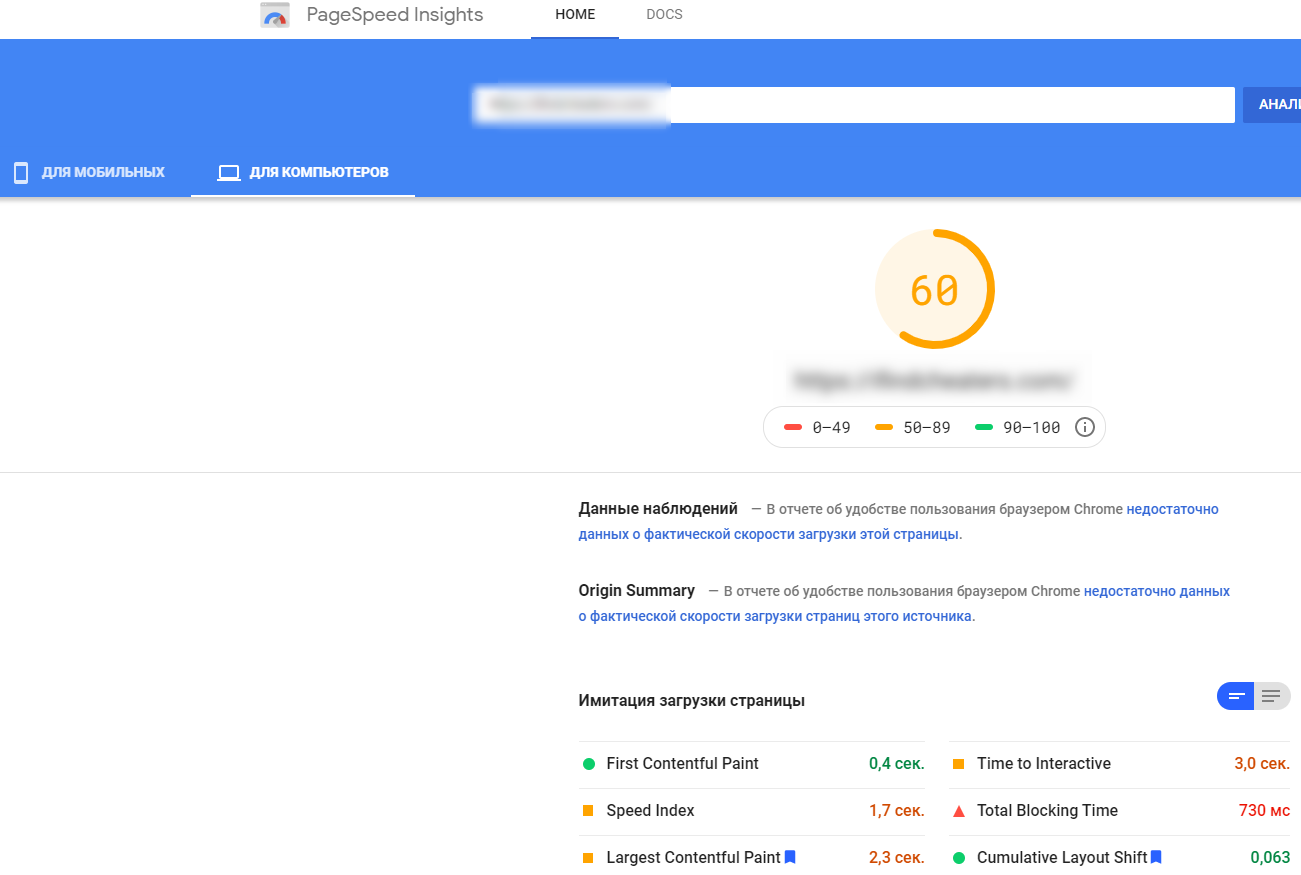
Gives a large number of recommendations, but not always useful and applicable to this or that site.Also another disadvantage I consider that when checking the same page in a row can give completely different indicators.
Lighthouse
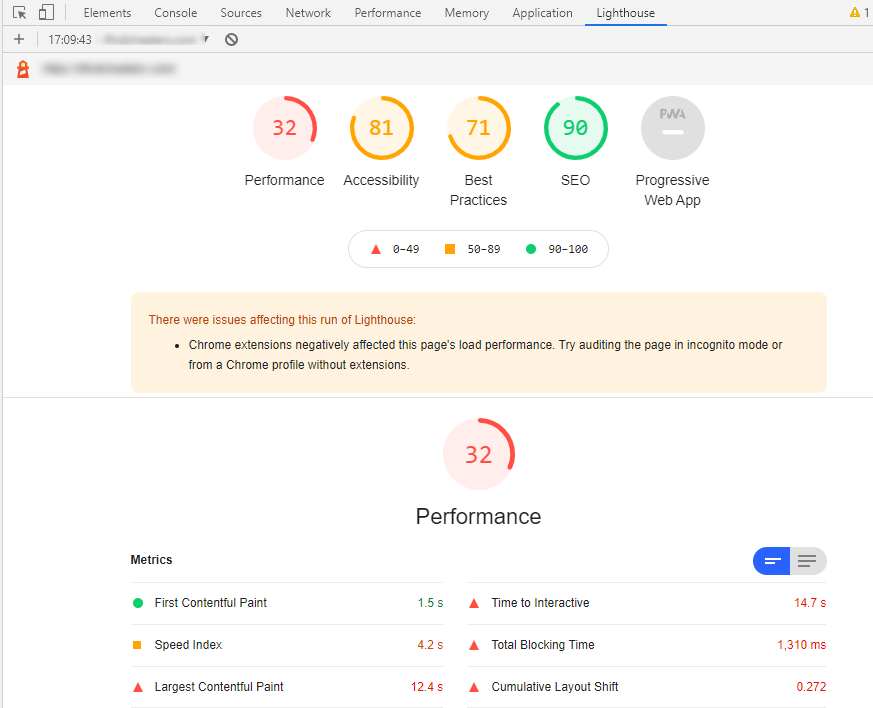
Essentially the same as PageSpeed Insights, only the test can be run directly on the page via DevTools.
Web.dev
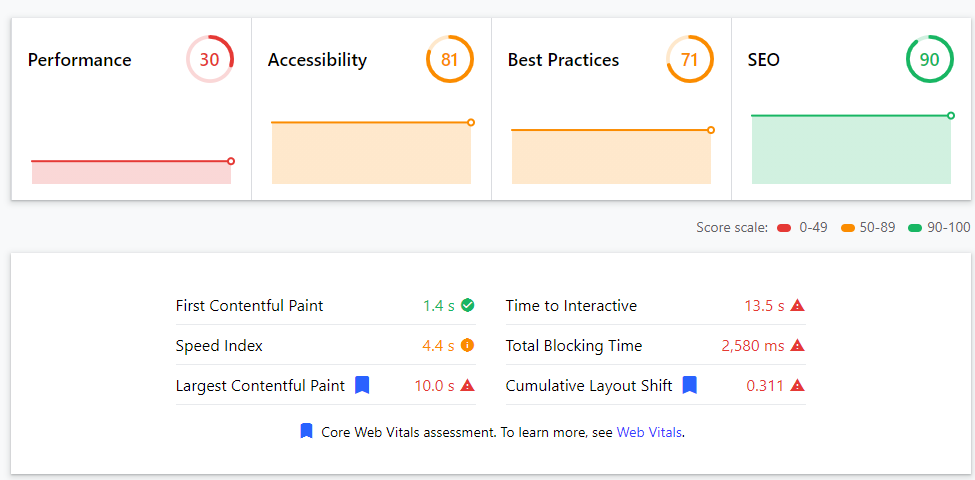
Another popular online tool is web.dev. However, it only provides data on the mobile version, although given that it is now Mobile-First it makes sense in principle. It shows the same data as PageSpeed and Lighthouse.
GTmetrics
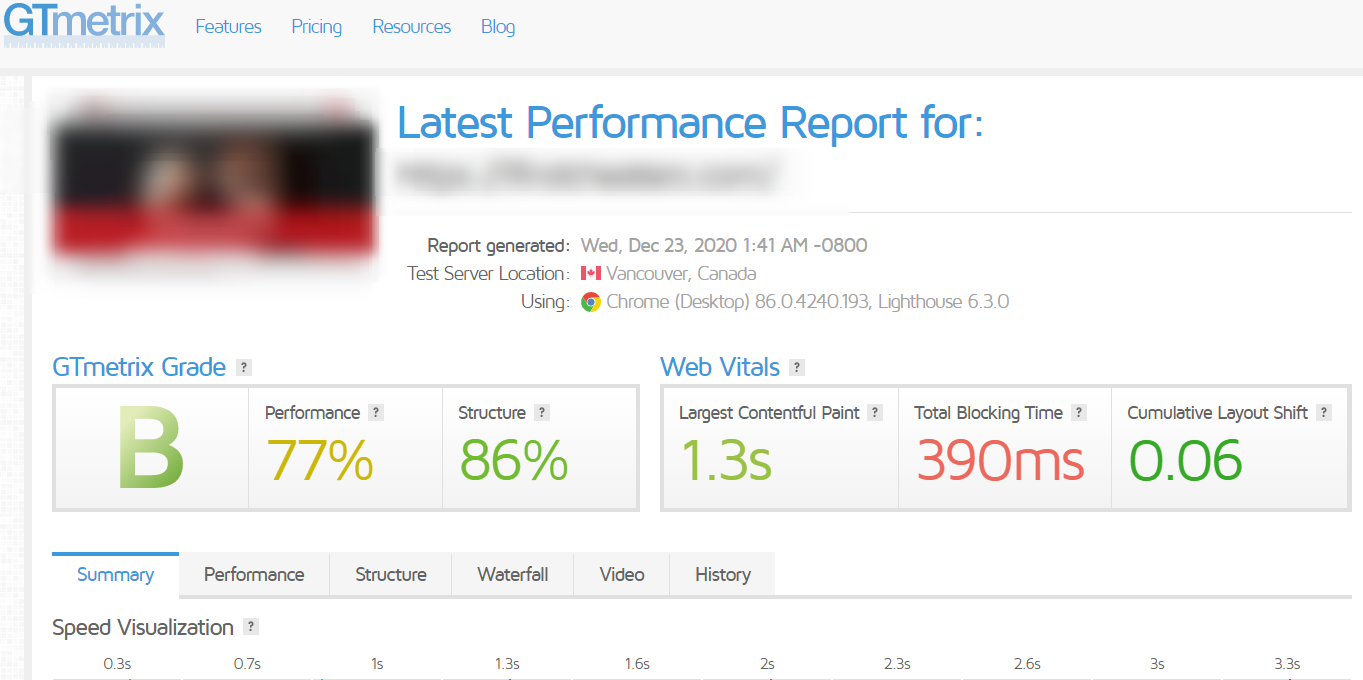
GTmetrics is another analyzer from the standard and useful tools to help you test Web Vitals. There is also a Google Chrome extension, but you can find more information for yourself on the site itself.
WebPageTest
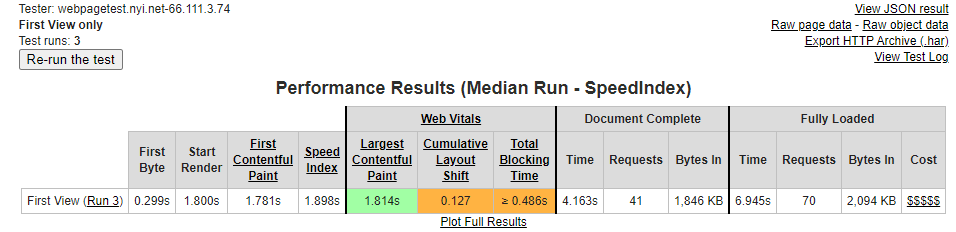
WebPageTest is a useful tool that demonstrates in great detail how the loading process works. It also recently introduced Web Vitals metrics:
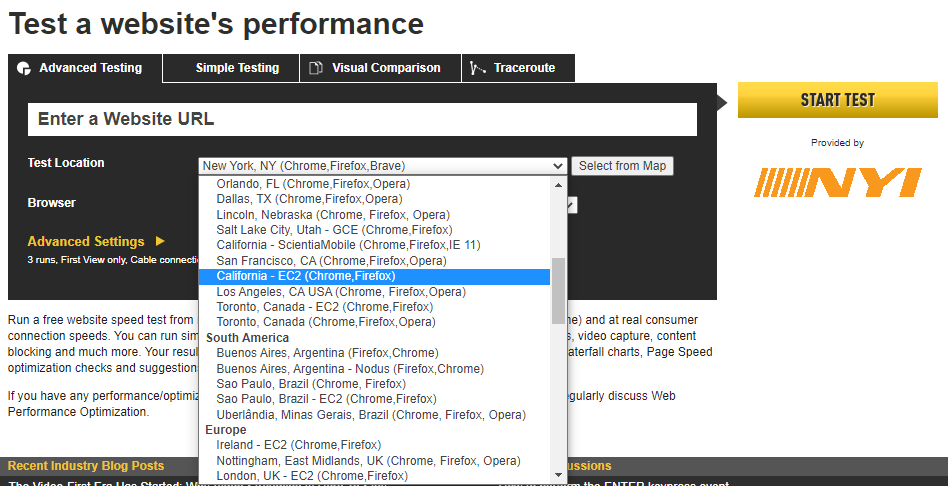
From the minuses I can only note the lack of CIS countries and cities in the list of locations for the test, so for Russian-speaking sites the data may not be completely objective:
Web Vitals plugin
Web Vitals is a browser extension that shows Core Web Vitals settings on a specific page of your site or a competitor's site:
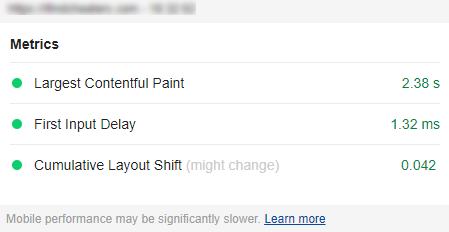
A very simple tool to test and capture the key user experience metrics that will be a ranking factor from 2021.
Core SERP Vitals plugin
Core SERP Vitals is a handy plugin for Google Chrome from the Defaced.dev team. Thanks to its installation, you will see Core Web Vitals scores directly in Google search results.
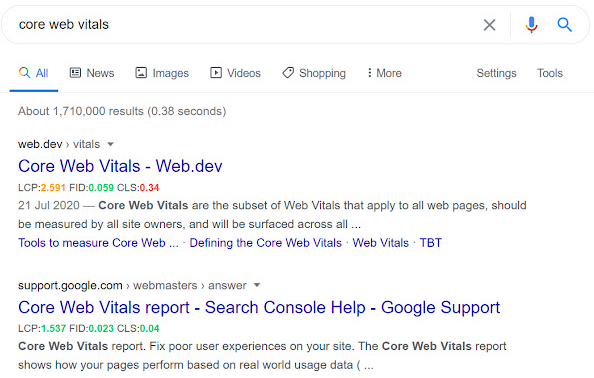
On the downside, it's worth noting the fact that the data is taken from the Chrome User Experience Report, so not all sites have it.
Google Search Console
Google Search Console has also added functionality for evaluating Web Vitals:
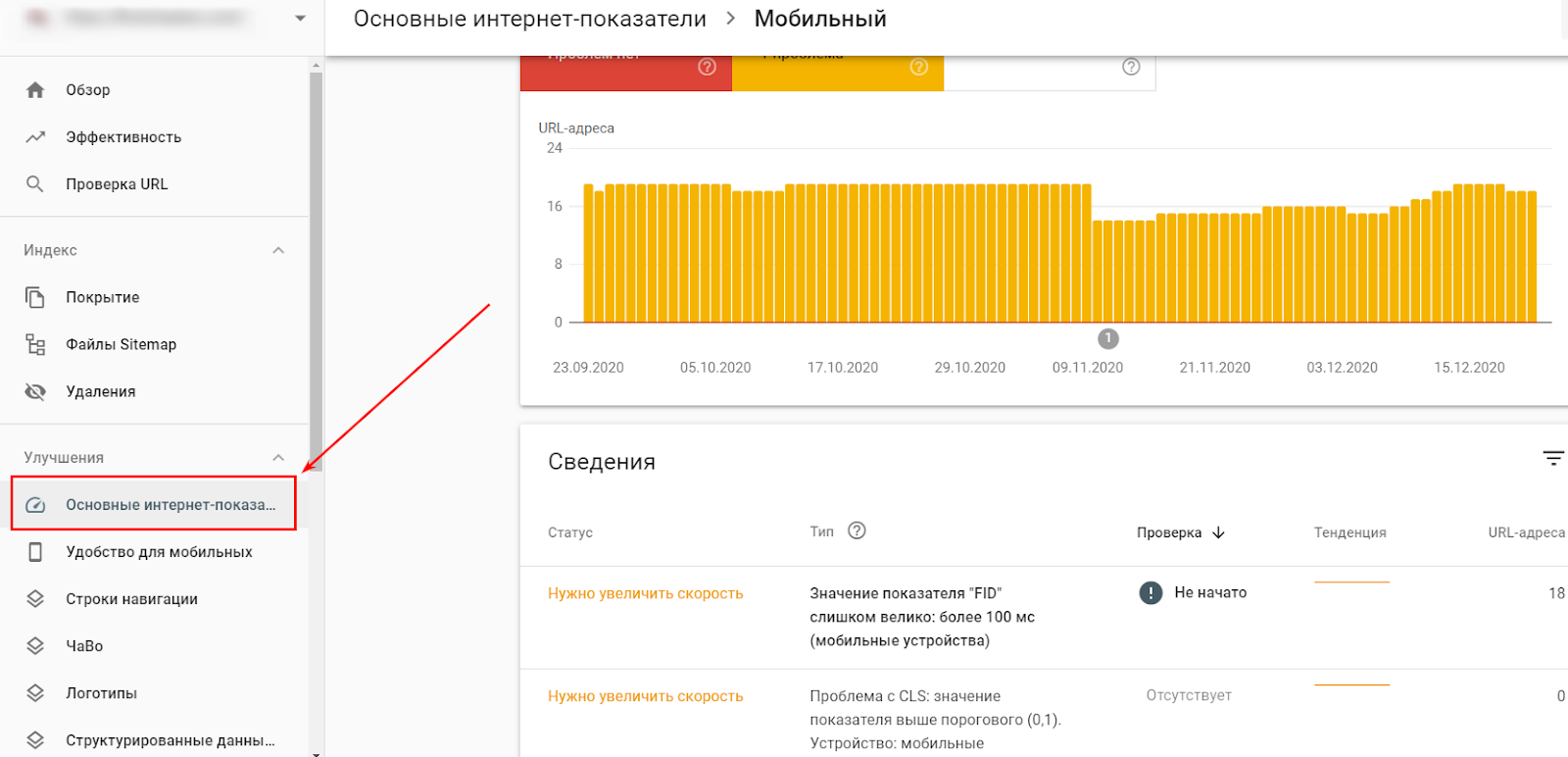
This functionality is very useful, as you can clearly see on which pages there are problems / errors and which indicators need to be improved.
Google Data Studio
Google Data Studios has an option to add Core Web Vitals metrics to the dashboard, via the free Chrome UX Dash connector. This is also a very easy and efficient way to monitor these metrics:

Chrome UX Report Comparison Tool
Not so long ago, a tool for testing Web Vitals metrics from a designer on the Google Chrome team - Chrome UX Report Comparison Tool- appeared. The main plus point is that it allows you to compare the performance of a page with other pages on the site or competitors.
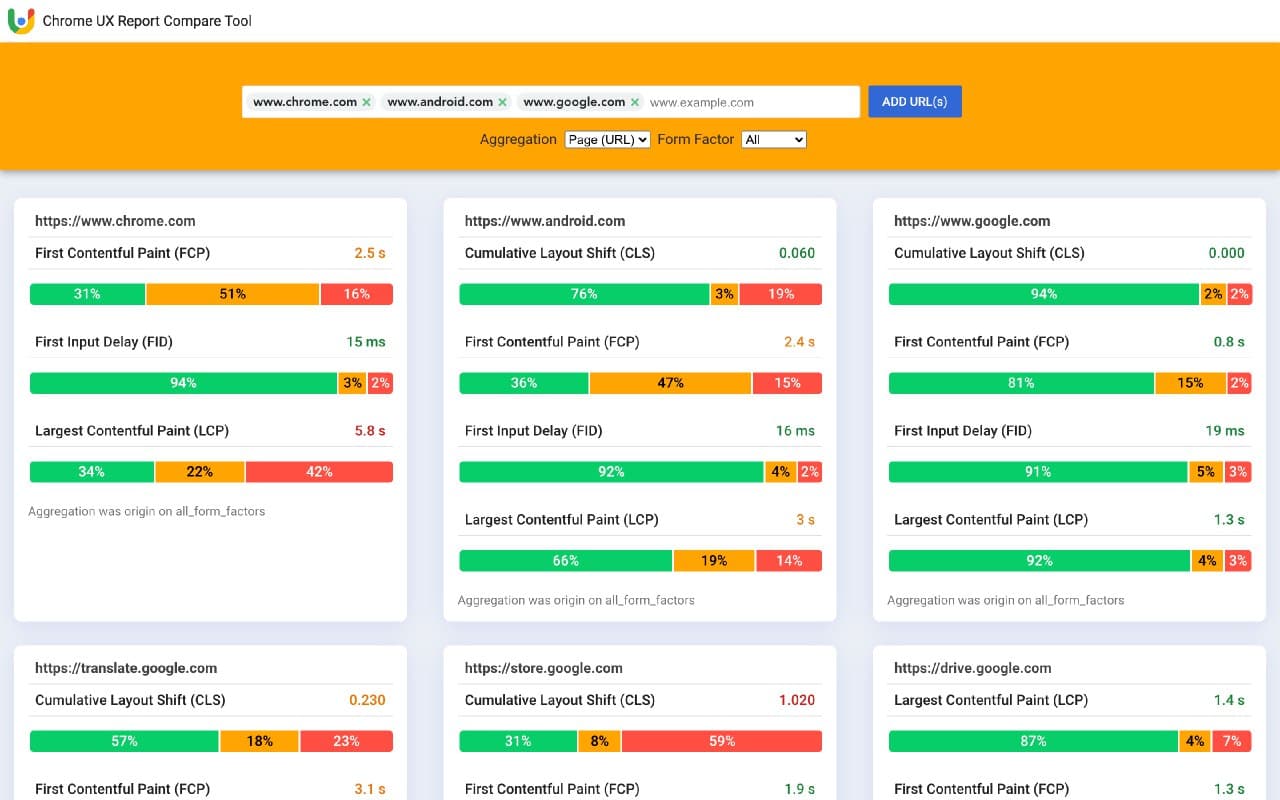
Table Measure Core Web Vitals (Google Spreasheets)
The most advanced and maximally automated tool, by far, I believe, as strange as it may seem, is the Google spreadsheet Measure Core Web Vitals:
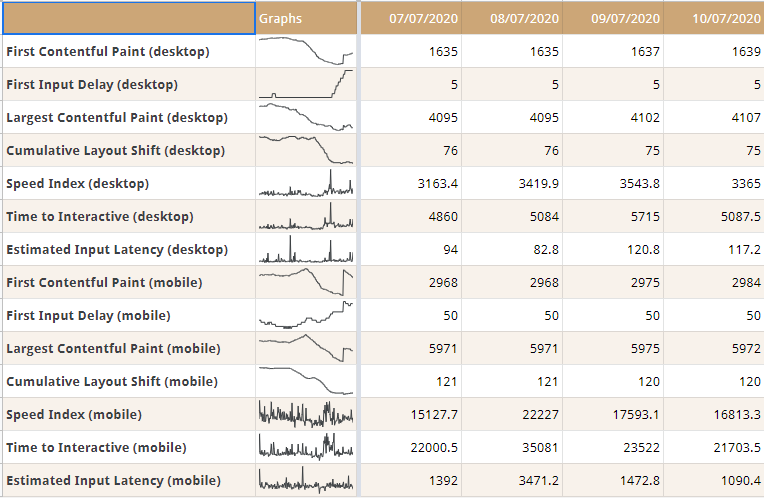
At the moment, this is the only tool that will show how the indicators change over a certain period of time. And this will allow for a better analysis.
We talked in detail about how to set up and run tests in our last article about automatic Web Vitals measurement, so welcome!
Related Articles
- N8N service for automating routine SEO tasks
- A complete SEO checklist for blogging: how to write articles that drive traffic
- How to use Instagram for SEO
- How to manage your reputation on Google: a guide to SERM for businesses in 2025
- Checklist for technical SEO audit of a website
Thanks for sharing. I read many of your blog posts, cool, your blog is very good. https://accounts.binance.com/register/person?ref=JW3W4Y3A
Thanks for sharing. I read many of your blog posts, cool, your blog is very good.
Can you be more specific about the content of your article? After reading it, I still have some doubts. Hope you can help me. binance anm”alan
I don’t think the title of your article matches the content lol. Just kidding, mainly because I had some doubts after reading the article.
Can you be more specific about the content of your article? After reading it, I still have some doubts. Hope you can help me.
I don’t think the title of your article matches the content lol. Just kidding, mainly because I had some doubts after reading the article. https://accounts.binance.info/ES_la/register-person?ref=VDVEQ78S
Your point of view caught my eye and was very interesting. Thanks. I have a question for you.