
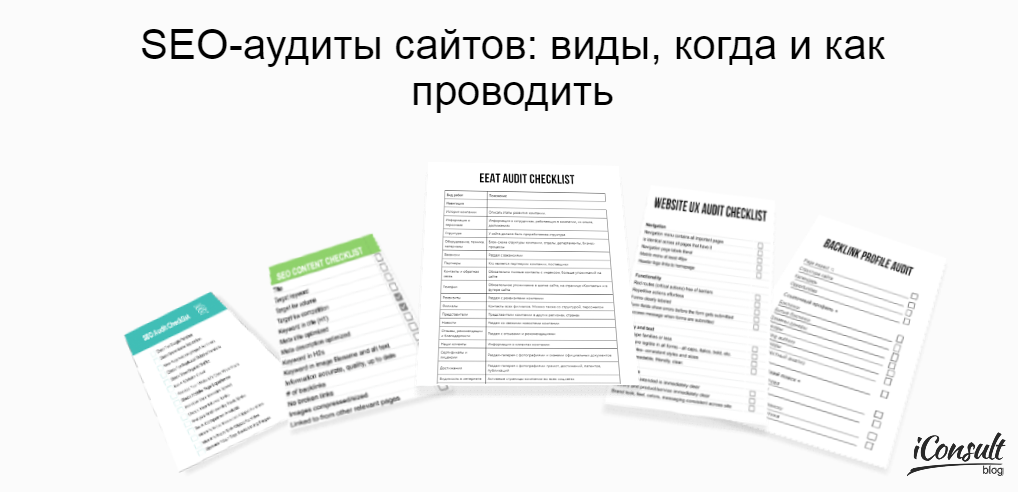
When ordering website promotion services, business owners, online stores, websites are faced with the fact that SEO agencies do and send the customer a lot of audits.
So that you don't waste your money on constant useless audits, let's tell you what audits are, why they are needed, and when they should be performed.
When it is necessary to conduct a site audit
- Before launching a new new website, make sure the site is properly optimized for search engines and ready to attract organic traffic from the start.
- After changes in the structure or design of the site. If you have made changes to the design, structure, content, it is absolutely necessary to do an audit to check whether there are no mistakes that will negatively affect positions and traffic.
- When traffic drops. If your site has lost traffic due to changes in search engine algorithms, or due to the work of competitors, or due to your mistakes, SEO audit will help to identify the problems and develop a strategy to restore traffic.
- Conversion Improvement. If you want to earn more from your current traffic, you need to conduct an audit in order to work out measures to increase the conversion rate of the website.
- To develop SEO strategy to increase traffic and positions of the website. If you want to increase the traffic of your website, you should do audits before starting the work too.
Types of SEO audits
The main types of SEO audits:
1. technical audit
The main task of a technical audit is to identify technical errors that prevent a website from being effectively indexed and ranked in search engines.
Basic verification parameters in technical auditing:
- page indexing;
- availability and configuration of the robots.txt file;
- availability and correctness of sitemap.xml;
- correct use of the noindex meta-tag and noindex/nofollow directives;
- code validity;
- correctness and relevance of h1 headings and title and description meta tags;
- page load speed;
- Core Web Vitals parameters;
- setting up redirects;
- presence of broken links;
- 404 page setup;
- optimizing the site for mobile devices;
- Availability of SSL certificate and use of HTTPS protocol;
- URL structure;
- customizing canonical pages;
- absence of viruses and site hacking.
Read more about conducting a technical audit in our article.
Checklist for a technical SEO audit of a website
2. UX and usability audit
UX and usability audit checks the usability of the site. The main task is to make it so that the user could understand everything on the site and make purchases conveniently.
Key Validation Parameters:
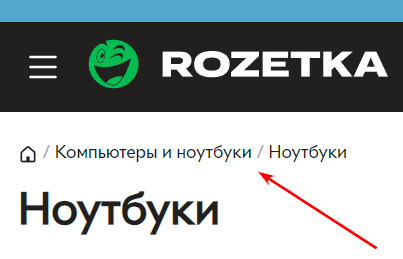
2.1 Navigation.
It is necessary to assess the usability of the navigation structure of the site and check the accessibility of the main sections of the site and the ability to quickly move between them. According to the recommendations of search engines it is necessary to add reach in 3 clicks to the main pages of the site.
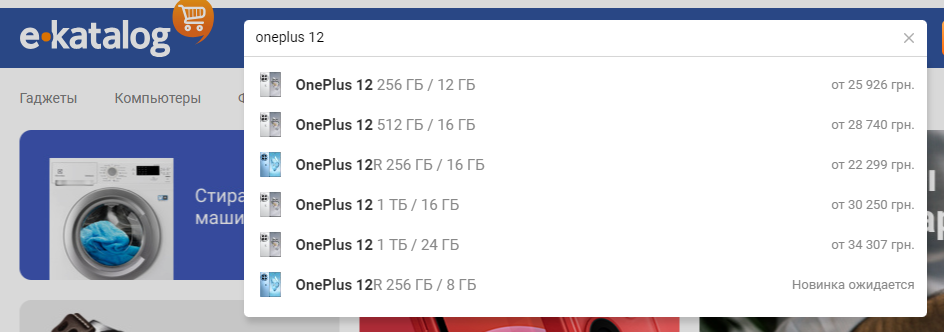
2.2 Finding.
Check the functionality of search on the site: availability of the search field, relevance of search results and the ability to filter results, location and visibility of the search field on all pages of the site. It is convenient when the search has hints.
2.3.Readability of content.
Evaluate the readability of text content: font size, background and text color. You need to make sure that the content is easy to understand on both desktop and mobile devices.
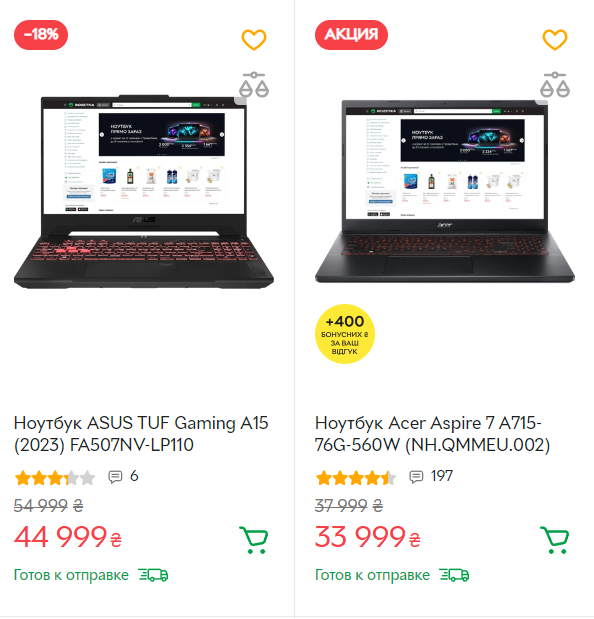
2.4 Visual Design.
Evaluate the aesthetic appearance of the site: use of color scheme, fonts, and graphics.
The design of the website should be consistent with the brand and create a unified and easily recognizable look.
2.5 Functionality of controls.
Check the operation of controls such as buttons, links and forms. All controls should be easily accessible and responsive to user actions.
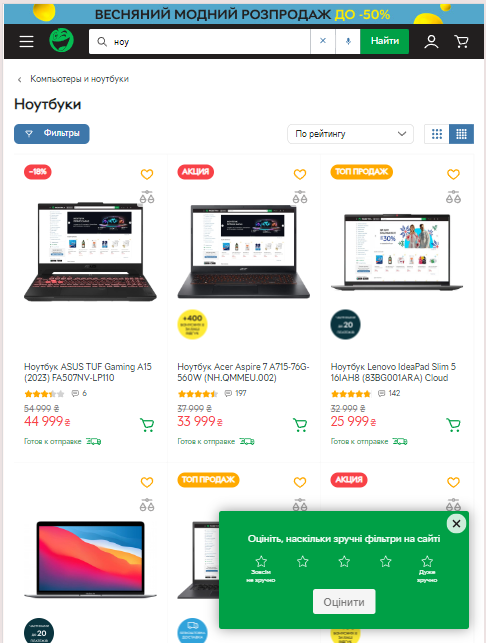
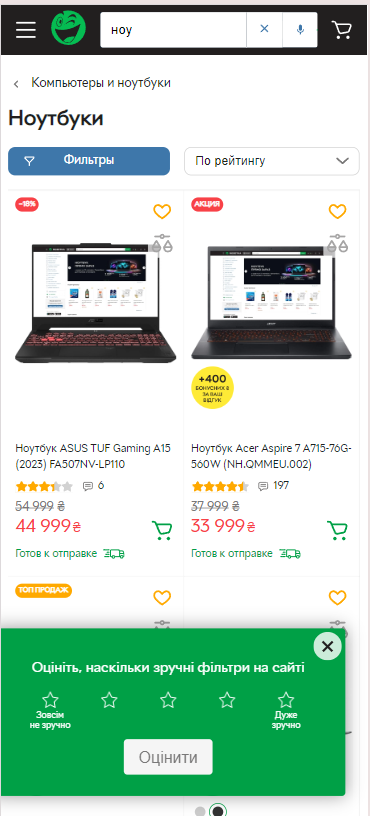
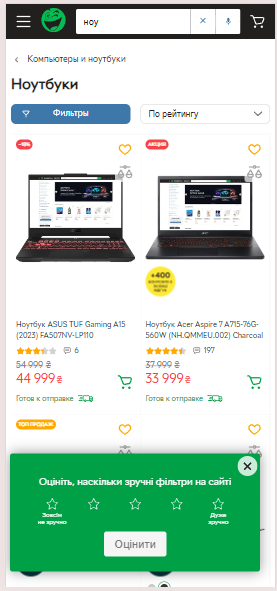
2.6 Adaptability.
Check the responsiveness of the site on different devices and screen resolutions. You need to make sure that the site adapts to mobile devices without losing functionality and usability.
Display the site on a variety of devices and screen resolutions:
2.7 Forms and data entry.
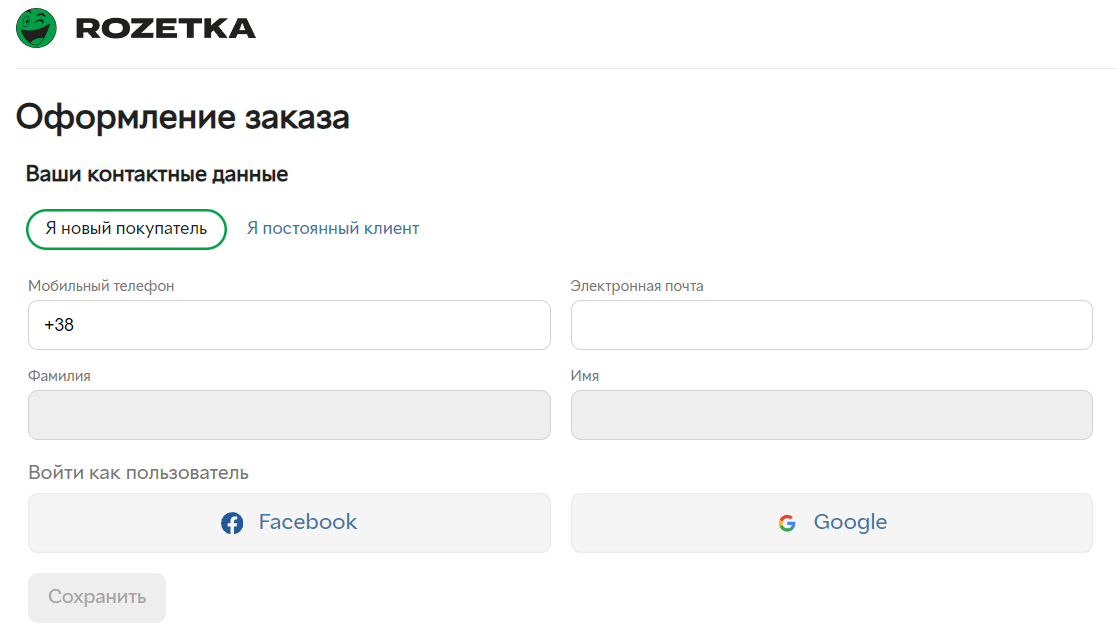
Check the usability of filling out forms on the site, including registration, orders and feedback. Forms should have clear prompts and error messages, as well as support autocomplete and validation of input data.
- testing of display correctness on all devices, operating systems, browsers and screen sizes;
- testing on real users.
3. audit of commercial and E-E-A-T factors
In recent years, search engines have been paying more and more attention not only to the website, but also to the evaluation of the entire business and the company as a whole when ranking websites.
Search engines want to show users those sites where they can satisfy their needs as quickly, comfortably, safely and reliably as possible with quality assurance. Therefore, commercial ranking factors are gaining more and more weight in ranking.
Quote from the Google Search Guide:
"The E-E-A-T standards are included in the updated guidelines for search result quality professionals that we recently released. There you will also find clearer guidance emphasizing the importance of creating original and useful content, as well as pointing out the variety of forms and sources of useful information.
As a reminder, this guide contains criteria for internal evaluation of the effectiveness of our search engine ranking systems and does not directly affect the ranking itself. It may also be useful for authors who want to learn how to evaluate the quality of their content and perform search engine optimization. You can learn more about it on the page dedicated to creating useful human-centered content."
Simply put, PS want to understand whether the user can trust the company (site) with his money and (or) health and whether the company is responsible for its obligations to customers.
In addition, there are YMYL (your money, your life) niches that are most important to search engines where they most closely track E-E-A-T trust factors.
https://developers.google.com/search/blog/2022/12/google-raters-guidelines-e-e-a-t?hl=ru
As the name suggests (your money, your life), these are niches that relate to health and financial security - medicine and finance.
Factors E-E-A-T (Experience, Expertise, Authoritativeness, Trustworthiness):
3.1 Experience.
Experience related to the content topic: practical skills in providing or obtaining a service, using or producing a product, attending an event;
3.2 Expertise.
The level of expertise and qualifications of content authors. It is necessary to place on the website information about professional experience, education, certification, links to publications in the author's social networks.
3.3 Authoritativeness (Authoritativeness).
This is an assessment of the authority and reputation of both the content author and the site as a whole. Factors that can influence authority: ratings, reviews, mentions in other sources, links from other authoritative sites, etc.
3.4 Power of Attorney (Trustworthiness).
Users' trust in the site and its content. Signs of a trusted site: presence of contact information, privacy policy, secure connection (HTTPS), user reviews.
Therefore, check the site for commercial and E-E-A-T factors
Commercial Factors Audit Checklist
| Type of work | Explanation |
| Navigation | |
| History of the company | Describe the stages of the company's development. |
| Information about the personnel | Information about the employees working in the company, their experience, achievements |
| Structure | The site should have a well-developed structure |
| Equipment, machinery, materials | Block diagram of the company structure, divisions, departments, business processes |
| Vacancies | Section with vacancies |
| Partners | Who is a partner of the company, suppliers |
| Contacts and feedback | Obligatory full contacts with index, more mentions on the site |
| Phone | Mandatory mentioning in the header of the site, on the page "Contacts" and in the footer of the site |
| Credentials | Section with company details |
| Branches | Contacts of all branches. You can also with the structure, personnel |
| Representatives | Representatives of the company in other regions, countries |
| News | Section with the latest news of the company |
| Reviews, recommendations and gratitude | Section with reviews and recommendations |
| Our clients | Information about our clients |
| Certificates and licenses | A gallery section with photos and scans of official documents. |
| Achievements | Section-gallery with photos of diplomas, achievements, patents, publications. |
| Internet visibility | Active pages of the company in all social networks. |
| Portfolio | Section with examples of works, goods, products, etc. |
| Wholesalers | Section with information on working with wholesale clients, partners. |
| Corporate clients | Section with information for corporate clients |
| Calculator | Online calculation of the cost of services, goods, delivery, etc. |
| Comparison | Ability to compare products |
| Price list | Ability to download the price list in a convenient format. |
| Service, repair | Is service, repair, etc. provided by the company, what are the conditions? |
| Service | Personal manager, free hotline phone number |
| Delivery | Describe delivery conditions and all possible delivery options. |
| Terms of offer | Descriptions of the public offer contract |
| FAQ | Detailed question and answer section |
| Franchising | Franchise opportunity |
| Guarantees, Returns, Payment | The page describes in detail all that you can guarantee and methods of return |
| Personal cabinet | With information on bonuses, purchase history |
| Header | |
| Work schedule | Detailed information on the working hours of the company, main office, branches. |
| Slogan | Slogan in the header of the site, preferably in the upper left corner. |
| Logo | Presence of the logo in the header of the site, preferably in the upper left corner |
| Link to cart | When you add an item to the cart in the header of the site should display the number of items and total order amount |
| Shopping cart | The cart address should be card, order, but not korzina. Exclusion of closing from indexing Shopping cart and checkout pages in online stores should not be closed from indexing. |
| Contact forms | Buttons "Call Back", "Call Back" and so on. |
| Region selection | If you work in several regions and have subdomains, it is recommended to add the selection of the necessary region. |
| Phones, email | Regional, toll-free 8800. Mobile is better not to use, it is very rarely suitable and only for narrow topics. |
| Search on the site | Presence of the search form in a prominent place |
| Trust in the company | |
| Advantages | Presence of "Our advantages" block |
| Elements of trust | Placement of logos of reputable services, for example, VISA |
| Widget map and directions | Directions to the current address of the company |
| Corporate blog | The blog contains relevant, regularly updated information |
| Photo and video reports | If possible, you have photo and/or video reports for each service provided. |
| Video message from the director | Increases client confidence |
| No third-party advertising | The site should sell your product |
| Video/ youtube channel | Presence of videos or own youtube channel |
| Use of HTTPS technology | SSL certificate configured |
| Domain readability | Domain name is readable and easy to dictate by phone |
| Mobile adaptation | Site has adaptive or mobile version using AMP |
| Links on authoritative resources | Links from authoritative resources are in place |
| Brand mentions on forums | You are working on mentions of your brand on the Internet |
| Domain reputation and age | You monitor your reputation on third-party company review sites |
| Google My Business | The company must be registered with these services |
| Google services | It is necessary to participate in all Google services that are appropriate for the site |
| Brand recognition | Mentions of the brand name on the Internet, especially in the media + branded traffic from organic search results |
| Reviews on review sites | Reviews on third-party review sites, e.g. flamp.ru |
| Reviews on aggregators | Reviews on third-party aggregator sites, e.g., Y.Market. |
| User interaction | |
| Online consultation | Presence of an online consultant widget |
| Visitor capture services | For example, callbackhunter |
| Stages of customer interaction | Customer consultation by phone |
| Push-notification | Mailing of subscribed customers and new products, services, information |
| Widgets of communication via social networks chat. | One-click access to the page of dialog with the representation in social networks. |
| Page nesting depth | The depth of nesting of important pages of the site, if possible, no further than the third level. |
| Discounts | Discount systems, savings systems, etc. |
| Promotions | Regularly provide information about the company's promotions |
| Sale | Presence of the "Sale" section |
| Bonuses | Availability of own bonuses |
| Pop-up windows | Discounts, call back order, etc. |
| Slider | Slider with the main information. it is desirable to have a form of capture (feedback). |
| UTP | Presence in the visible part of the unique selling proposition |
| Catalog / product cards / service page | |
| Additional offers | Services that may be needed when buying the main offer. |
| Service, product detailing | What the service includes: measurement, design, delivery, installation |
| Sharing buttons | Share buttons in social networks |
| Notify about arrival | If the product is out of stock - functionality "notify about arrival". |
| Payment via Sberbank Online | The second most popular method of payment |
| Self-carriage | The possibility of self-delivery |
| Addresses of service centers | Take care of your customers in advance |
| Tips | Section with tips for choosing products or services |
| Instructions | Downloadable instructions for sold products |
| Article | Product article availability |
| Countdown | Forms with countdown of the offer validity period |
| Cross-sell | Presence of presale forms "people buy with this", etc. |
| Content visualization | Infographics, icons with benefits and brief descriptions of company principles |
| product availability | Number of pieces in stock, not online "in stock". |
| Merchandise assortment | At least 50% of the average among 20 competitors |
| Product characteristics | Detailed technical characteristics of the product |
| Photos of the product | Obligatory presence of photos of the product |
| Availability of product reviews | Video-reviews on behalf of the store and on behalf of the buyer. |
| Product reviews | Reviews about the product, service on the site, rating |
| Comments | Availability of the form with comments |
| Payment information | It is possible to duplicate icons and logos of payment systems |
| Size range | Information about available sizes |
| 3D-model | 3D model of the object, popular in the theme of house construction |
| Discounted price | Old/new price |
| Quick View | Quick view functionality (opens in a pop-up window) |
| Filter before the catalog | (by price, by popularity) |
| Advanced filter | Filter by other parameters (color, size) |
| Tagging links | |
| Additional information on the order | purchase on credit, bonuses, etc. |
| Set selection | Ability to choose the product configuration |
| Buy in 1 click | Quick order or purchase button |
| Redirection from the card | When clicking on the image, the user should be redirected to the product card |
| Product rating | Availability of product rating on the catalog page, also in the product card. |
| Marks on the product Novelty, Best Seller, Sale, etc. | In the product catalog on the product card |
| Price | "The price should be expressed in the ruble equivalent and labeled p. or rubles, but not rubles or ₽. Correct example: 2,000 rubles. Incorrect example: 2000 ₽" |
| Product name | "The product name must contain the name of the category, preferably in the singular. |
| Buy button | Both on divider pages (catalog pages) and directly in product cards, the "Buy" button should be a text button |
| CTA buttons | Action buttons "buy", "add to cart" should be buttons, not links. |
| NC | "In the CNC of the product card of the online store must have a nesting level catalog (or katalog) and the name of the category |
| Name and country of the manufacturer | In product cards |
| Delivery time | Mentioning the approximate delivery time of the product |
| Infographics | Important processes described by infographics, e.g. delivery process |
4. content audit
Content audit is a check of the quality of content on a website in terms of its compliance with the requirements of search engines and the needs of the target audience. The purpose of such an audit is to identify the strengths and weaknesses of the content, as well as to identify opportunities for its optimization in order to improve the position of key queries.
Basic verification parameters in content auditing:
4.1 Uniqueness of content.
Check the uniqueness of content on the site using specialized tools to eliminate duplicates.
Checking that site content is not copied from other sources or repeated within the site.
Services for checking the uniqueness of texts:
4.2 Key words.
Evaluating keyword usage in website content: checking that keywords are distributed naturally and organically. Search for additional and missing queries for your niche to implement them into the content.
4.3 Headings and subheadings.
Verify the use of headings (H1, H2, H3, etc.) in page content to highlight major themes and structure information.
4.4 Meta title and description tags.
4.5 Quality of content.
Evaluating the quality of content in terms of informative, usefulness.
4.6 Optimization of images and multimedia.
Check the optimization of images and other multimedia elements: that they are optimally sized, have the correct ALT attributes and descriptions. For optimization and conversion of images we recommend using the service https://convert.io/ru/image-converter
4.7 Content Structure.
- Check the structure of the content on the pages of the site: make sure the information is logically organized and easy for the user to comprehend.
- Use lists, tables and other elements to structure content and make it more accessible.
4.8 Updating content
Evaluate the frequency and regularity of content updates on the website: make sure the information is up-to-date and in line with current requirements and trends.
Plan to add new content regularly to attract search traffic and retain users.
5. Audit of link mass
During a link audit, the quantity and quality of external links to the site and to competitors' sites are checked. Links from the promoted site are compared with competitors and a link strategy is developed.
In a link profile audit, the link profile is checked and compared to competitors:
- total number of links and referring domains;
- number and ratio of dofollow/nofollow links;
- number and ratio of anchor/non-anchor links;
- anchor sheet;
- DR references;
- geography of donor domains;
- inbound/outbound link ratio;
- types of links by content (text, images, redirects, etc.) and their distribution by number;
- CF/TF indicators.
The following tools are used to analyze references:
You can use any tool of your choice. We will show you how to do it using Ahrefs as an example.
Aggregated information is shown immediately on the home page in the Overview.
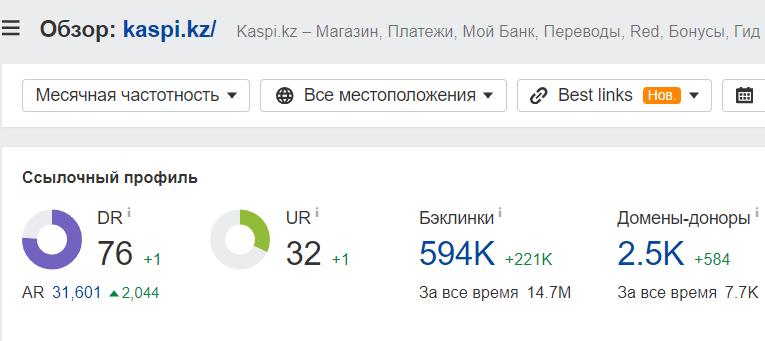
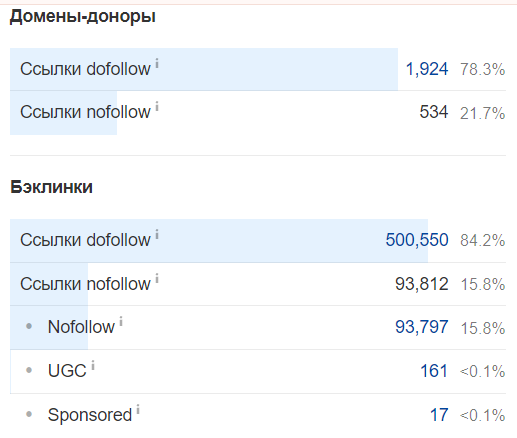
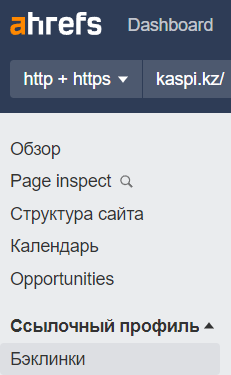
For a detailed view of the links themselves, you need to go to the Backlinks report.
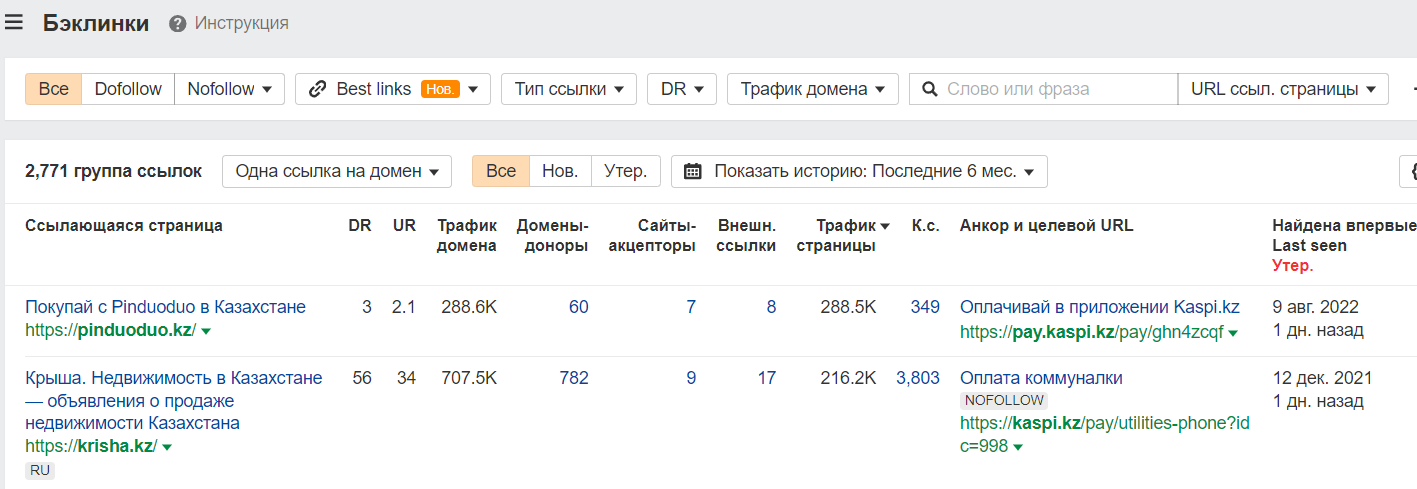
The presented data can be filtered and sorted by any parameter. For example, show only Dofollow links or/and show them by descending DR.
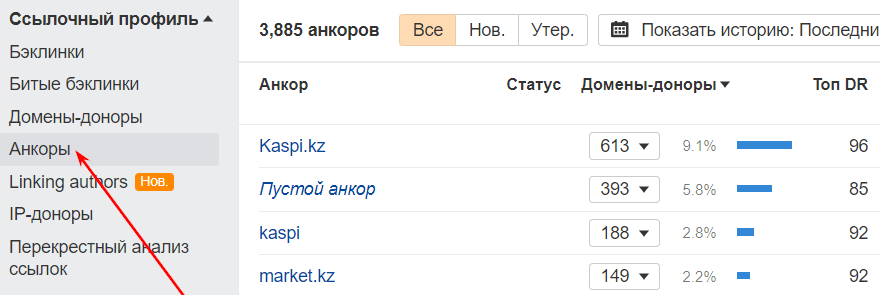
You can see the anchor list in the Anchors report.
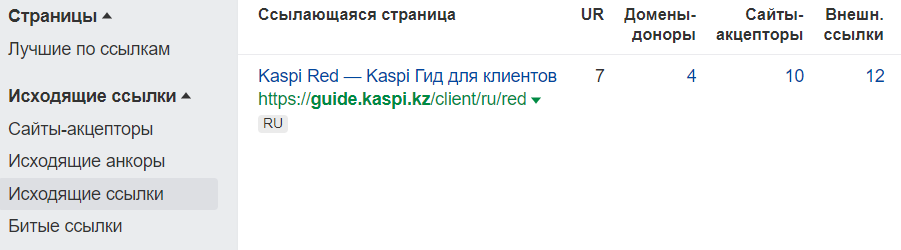
Information about outbound links, anchors and acceptor sites can be found in the Outbound Links report.
In addition to links from competitors, you need to find PBN grids.
This can be done using the following services:
- publicwww.com - allows you to search for a specific fragment in the HTML code of sites. For example, sites with a single Google Analytics counter;
- dnslytics.com/reverse-analytics - also finds sites with one Google Analytics account.
Conclusions
As you have realized from the article, there are several types of SEO audits. All of them are aimed at improving yours for users and search engines.
The main conclusion to be drawn is that audits for the sake of audits are useless. Audits should be implemented and recommendations from audits should be implemented. Only the implementation of audits on the site will help your site to increase revenue.
Subscribe to our blog and telegame channel to stay up to date with SEO usefulness.
Your article helped me a lot, is there any more related content? Thanks!
Can you be more specific about the content of your article? After reading it, I still have some doubts. Hope you can help me. https://www.binance.com/en-JP/register?ref=UM6SMJM3
Can you be more specific about the content of your article? After reading it, I still have some doubts. Hope you can help me. https://www.binance.com/en-ZA/register?ref=B4EPR6J0
Your point of view caught my eye and was very interesting. Thanks. I have a question for you. https://www.binance.info/pt-BR/register?ref=GJY4VW8W
Thank you for your sharing. I am worried that I lack creative ideas. It is your article that makes me full of hope. Thank you. But, I have a question, can you help me?
Thanks for sharing. I read many of your blog posts, cool, your blog is very good.
I don’t think the title of your article matches the content lol. Just kidding, mainly because I had some doubts after reading the article.